Fing Guides
How to Secure Your Home Wi-Fi: Start Here (2026 Guide)
Your home Wi-Fi is working right now: routing messages, streaming video, handling your work calls, connecting your smart doorbell. Everything feels fine. But “feels fine” and “is secure” are not the same thing, and the gap between them is exactly where most home network problems begin. The hard truth is that most people only think about Wi-Fi security after something goes wrong: after they notice an unfamiliar device, after speeds...
How to Detect Surveillance Devices in Your Home (2026 Guide)
If you’re reading this, something probably doesn’t feel right. Maybe you noticed an unfamiliar device on your Wi-Fi. Maybe an object in your home looks different than it did before. Or maybe you just have a gut feeling that someone is watching. Whatever brought you here, your concern is valid, and this guide will help you find out for sure. We’ll cover everything you need to know about how to detect surveillance in your home, from scanning your network to physical...
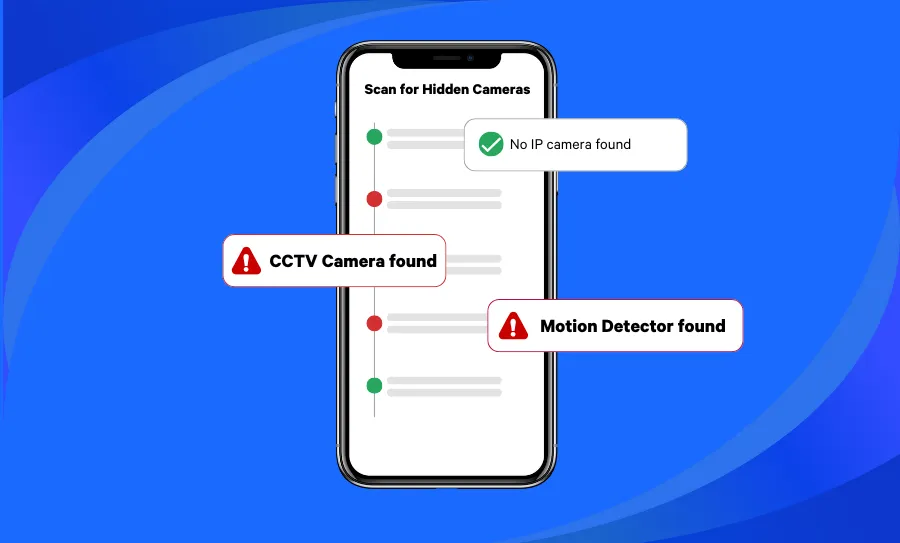
How to Find Hidden Cameras in an Airbnb or Hotel (2026)
Knowing how to find hidden cameras is becoming an essential skill for modern travelers. Whether you’re staying in an Airbnb, hotel, or vacation rental, the risk of hidden surveillance devices is real — and increasingly common. From tiny pinhole lenses tucked inside smoke detectors to Wi-Fi-connected spy cameras disguised as everyday objects, detecting hidden cameras requires a combination of awareness, technique, and the right tools. Reports of Airbnb or Vrbo...

How to Find the Best Internet in Your Area (And Make Sure It Actually Delivers)
Choosing the right Internet Service Provider (ISP) can feel like a shot in the dark. Every company promises “blazing fast speeds” and “unbeatable reliability,” but when it comes to something as essential as your Internet connection — whether for streaming, gaming, or working from home — marketing claims aren’t good enough. So how do you actually find the best Internet in your area? It starts with knowing what to look...

Who’s on My WiFi? Here’s How to See Every Connected Device & Block Intruders
Is your internet running slower than usual? Are you noticing unusual activity on your network? If so, you might be wondering: who’s on my WiFi – and how do I stop them? Unwanted users can slow down your connection, compromise your security, and even put your personal data at risk. Fortunately, there are simple ways to see all the devices connected to your WiFi, identify intruders, and take action to...

Network Monitoring with Fing: What It Is and How It Works
Maintaining full awareness of what happens on a home or small business network is increasingly complex. Devices connect and disconnect constantly, internet performance fluctuates, and security risks may emerge without visible warning. Fing’s monitoring features, available across all subscription tiers, address this complexity by delivering continuous network monitoring and alerts — ensuring you remain informed without relying on manual checks. What Is a Monitored Network? A monitored network is a...

The Ultimate Guide to Fing Premium
Keeping your home or office network safe, fast, and under control is no longer optional, it’s essential. With dozens of connected devices, remote work, smart homes, and growing security threats, basic network visibility just doesn’t cut it anymore. That’s where Fing Premium comes in. This guide walks you through what Fing Premium is, why advanced scanning matters today, and how its manual and automatic features help you stay in full...

The Ultimate Guide to Fing Starter
Designed for users who want reliable network monitoring and security insights without extra complexity, Fing Starter is the subscription plan that gives you the essential tools to stay informed and protected. With smart scanning capabilities, security checks, and performance reports, it helps you maintain visibility over your network’s status without breaking the bank. In this guide, we’ll explore the features included in Fing Starter and how they help maintain a...

How to Stay Safe from Router Hacks in 2025: Fing’s Router Security Check Explained
Your router is the digital front door to your entire home. It connects your devices, powers your smart home, and grants access to the Internet. But here’s the problem: most people forget the router exists after setup. That’s why router security is one of the most overlooked risks in home networks. In recent years, the number of reported router hacks has skyrocketed. From remote code execution bugs to exposed admin...

Welcome to Fing Desktop: Your Network Management Starter Pack
Fing Desktop is a powerful network scanner tool to monitor your Wi-Fi and gain a deeper understanding of your connected devices. If you’re new to using it and don’t know how to unlock its full potential, then look no further! In this guide, we’ll navigate you through the essential steps for harnessing the power of Fing Desktop as a top-notch network scanner. From seamless installation to delving into its key...