Cybersecurity

How to Stay Safe from Router Hacks in 2025: Fing’s Router Security Check Explained
Your router is the digital front door to your entire home. It connects your devices, powers your smart home, and grants access to the Internet. But here’s the problem: most people forget the router exists after setup. That’s why router security is one of the most overlooked risks in home networks. In recent years, the number of reported router hacks has skyrocketed. From remote code execution bugs to exposed admin...

AirPlay Vulnerability Exposes Billions of Apple Devices to Remote Attacks
A newly disclosed AirPlay vulnerability, also referred to as the AirBorne vulnerability, in Apple’s AirPlay protocol and software development kit (SDK) exposes billions of devices—including iPhones, iPads, Macs, Apple TVs, smart speakers, and even CarPlay-enabled infotainment systems—to serious security risks. Discovered by researchers at Oligo Security, these flaws enable a range of cyberattacks, from remote code execution (RCE) and data theft to full-scale surveillance. What Is the AirPlay Vulnerability? Oligo...

New PolarEgde Botnet Targets NAS and Router Vulnerabilities in Major Brands
TL;DR: PolarEdge is a newly discovered IoT botnet targeting devices from major brands like Cisco, ASUS, QNAP, and Synology. It exploits vulnerabilities, such as CVE-2023-20118 for Cisco Routers, using cloud services to spread malicious payloads. Over 2,000 devices have been compromised globally, posing risks of DDoS attacks, spam campaigns, and malware distribution. Unveiling PolarEdge: The Emerging IoT Botnet Threat In recent months, cybersecurity experts have uncovered a previously undocumented IoT...

How to forget a network on Mac in 7 steps
Is your Mac automatically connecting to a Wi-Fi network you no longer want to use? Do you need to forget a hotel Wi-Fi or a network with a changed password? Whatever the reason, learning how to forget a network on Mac ensures you have full control over your Wi-Fi connections. In this guide, we’ll walk you through the exact steps to remove a Wi-Fi network from your Mac, along with...
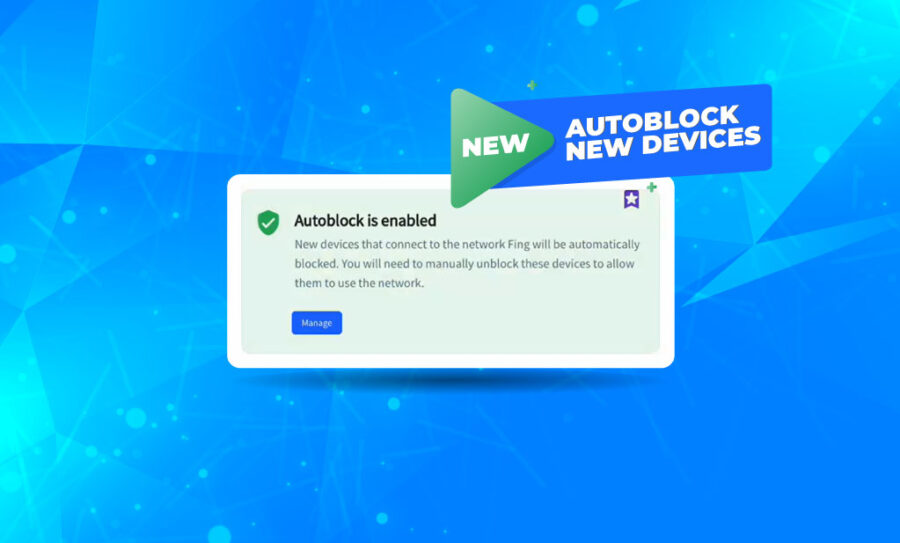
Fing Desktop 3.3: Introducing Auto Block for Unknown Devices
Since its initial release last February, the Block & Limit Internet Time features have become the most popular among Fing users. Having the chance to block unwanted devices from the Wi-Fi or limit Internet access for selected ones is a game changer when coming to home network management. But we did not stop there. We are working to give you constant product updates and today we introduce Fing Desktop 3.3,...
The Dahua & Hikvision controversy: how it affects your network privacy
While Dahua and Hikvision products have been banned in the US over ethical and security concerns, many countries still make use of their surveillance technology. In February 2022, research by the Dutch national broadcasting company NOS revealed that these cameras are installed in over 50 municipalities in The Netherlands where the topic is trending. British media have shared similar data, stating that 60% of UK public bodies are using said...
How to Schedule Automated Router Vulnerability Tests
Have you ever worried about your router vulnerability? Our routers are the gateway to the Internet, allowing home networks to connect with the whole world. But they could also lead intruders or malicious strangers inside your Wi-Fi… and once the breach has been open, nothing will stop them from reaching all your connected devices (and eventually your data). Are you feeling scared already? Don’t worry! With the latest releases of Fing...

Security breaches: how to fix them?
Do you suspect someone has hacked into your network? Maybe you’re experiencing strange Internet activity on your computer, or an unrecognized device is showing up in your Fing network scan. These can be signs that your network security was breached. Security breaches can be scary, but they can be solved and prevented. We’ll give you some pointers on how to do both. Download Fing Desktop Download Fing App What is...
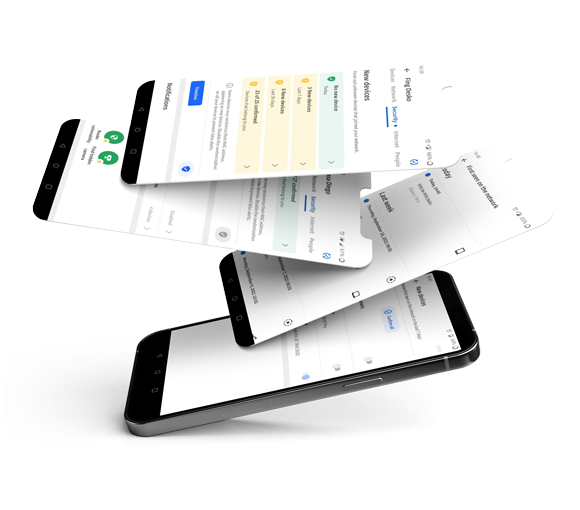
Increase Your Home Network Security with Fing’s Security Features
With the release of Fing App version 11.5.0 and Fing Desktop version 2.7.0, we’re introducing a whole new Security tab with brand new features for better home network security. Download Fing Desktop Download Fing App What changes and new features can you expect? Alongside the existing tabs in your Fing App, a new Security tab will be visible. To access it on Fing App, you’ll simply select your network on...