Fing Guides

Who’s on My WiFi? Here’s How to See Every Connected Device & Block Intruders
Is your internet running slower than usual? Are you noticing unusual activity on your network? If so, you might be wondering: who’s on my WiFi – and how do I stop them? Unwanted users can slow down your connection, compromise your security, and even put your personal data at risk. Fortunately, there are simple ways to see all the devices connected to your WiFi, identify intruders, and take action to...

Network Monitoring with Fing: What It Is and How It Works
Maintaining full awareness of what happens on a home or small business network is increasingly complex. Devices connect and disconnect constantly, internet performance fluctuates, and security risks may emerge without visible warning. Fing’s monitoring features, available across all subscription tiers, address this complexity by delivering continuous network monitoring and alerts — ensuring you remain informed without relying on manual checks. What Is a Monitored Network? A monitored network is a...

The Ultimate Guide to Fing Premium
Keeping your home or office network safe, fast, and under control is no longer optional, it’s essential. With dozens of connected devices, remote work, smart homes, and growing security threats, basic network visibility just doesn’t cut it anymore. That’s where Fing Premium comes in. This guide walks you through what Fing Premium is, why advanced scanning matters today, and how its manual and automatic features help you stay in full...
The Ultimate Guide to Fing Starter
Designed for users who want reliable network monitoring and security insights without extra complexity, Fing Starter is the subscription plan that gives you the essential tools to stay informed and protected. With smart scanning capabilities, security checks, and performance reports, it helps you maintain visibility over your network’s status without breaking the bank. In this guide, we’ll explore the features included in Fing Starter and how they help maintain a...

How to Stay Safe from Router Hacks in 2025: Fing’s Router Security Check Explained
Your router is the digital front door to your entire home. It connects your devices, powers your smart home, and grants access to the Internet. But here’s the problem: most people forget the router exists after setup. That’s why router security is one of the most overlooked risks in home networks. In recent years, the number of reported router hacks has skyrocketed. From remote code execution bugs to exposed admin...
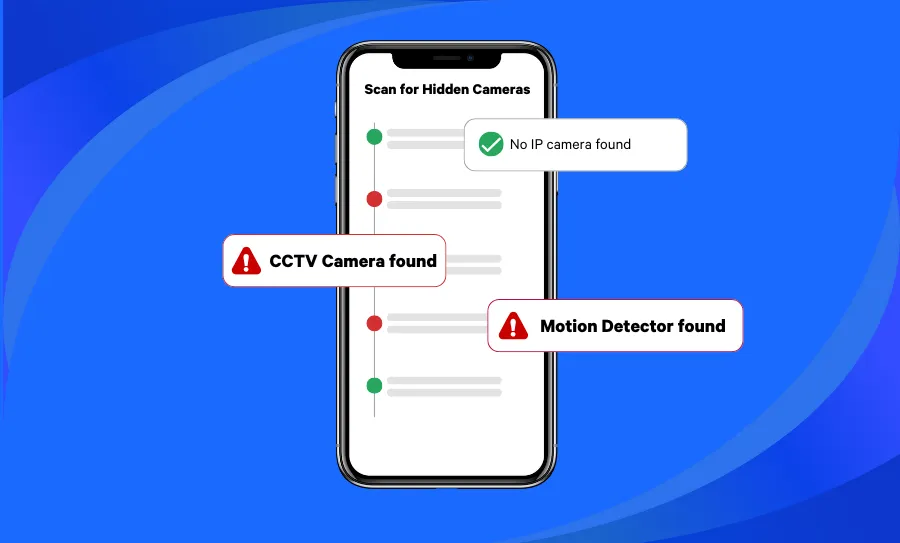
How to Find Hidden Cameras (Even in an Airbnb or Hotel Room)
Knowing how to find hidden cameras is becoming an essential skill for modern travelers. Whether you’re staying in an Airbnb, hotel, or vacation rental, the risk of hidden surveillance devices is real — and increasingly common. The thought of being secretly recorded can turn what should be a relaxing stay into a privacy nightmare. Reports of Airbnb or Vrbo hosts recording guests started cropping up in the media years ago,...

How to Compare Internet Providers: A Guide to Choosing the Best ISP
Choosing the right Internet Service Provider (ISP) can feel like a shot in the dark. With every company promising “blazing fast speeds” and “unbeatable reliability,” it’s hard to know who actually delivers. But when it comes to something as essential as your Internet connection — whether for streaming, gaming, or working from home — guesswork isn’t good enough. So how do you cut through the fluff and find the best...
Welcome to Fing Desktop: Your Network Management Starter Pack
Fing Desktop is a powerful network scanner tool to monitor your Wi-Fi and gain a deeper understanding of your connected devices. If you’re new to using it and don’t know how to unlock its full potential, then look no further! In this guide, we’ll navigate you through the essential steps for harnessing the power of Fing Desktop as a top-notch network scanner. From seamless installation to delving into its key...
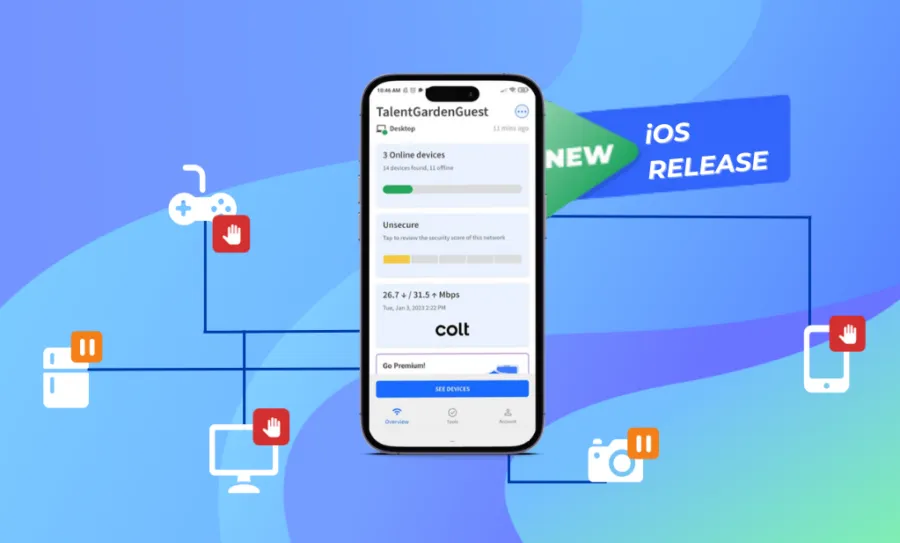
How to Gain Full Control of Your Network with the Fing iOS App
Ready to get more control over your network and devices? Fing’s newest update for iOS brings new Premium features that let you take charge of your home network’s Internet access control, directly from your iPhone! You can now block network access and autoblock new devices, set time limits on internet access, and schedule internet downtime even from your iOS devices. That’s powerful stuff! Keep reading to learn more about these...
Getting Started: Your First Five Minutes with Fing
New at using Fing? Don’t know where to begin to secure your network? Don’t worry, we have you covered with our getting started guide! Let us walk you through your first five minutes with Fing. See All the Devices Connected: The Network Scan The first thing you should do with Fing is scan your network to see all the devices connected. Simply open the app and run the scan: it...