What if everything you believe about staying safe online is actually making you more vulnerable? Spoiler: for most people, it is.
Cybersecurity is one of those topics where “common knowledge” is often just… wrong. Outdated advice gets recycled, half-truths go unchallenged, and dangerous assumptions hide behind a false sense of security.
The result? Millions of people believe they’re protected when they’re anything but.
In this article, we’re tearing down the 10 most widespread cybersecurity myths — and replacing them with what actually works. Whether you’re a tech enthusiast or someone who just wants to browse in peace, it’s time to separate fact from fiction.
Cybersecurity Myths Exposed
Myth 1 — “I’m not important enough to be hacked”
This is the single most dangerous cybersecurity myth out there.
You might think hackers are only after celebrities, corporations, or government agencies. In reality, the vast majority of cyberattacks are automated. Bots scan millions of networks and devices every hour, looking for anything with a vulnerability — regardless of who owns it.
Your personal data (email credentials, banking details, even your Netflix account) has value on the dark web. And your home network? It could be hijacked to launch attacks on others without you ever knowing.
What to do instead: Assume you’re a target. Act accordingly. Basic defenses like strong passwords, software updates, and network monitoring go a long way.
Myth 2 — “Antivirus software is all the protection I need”
Antivirus is important — but thinking it’s a complete solution is like putting a deadbolt on your front door while leaving every window wide open.
Modern threats extend far beyond the traditional viruses that antivirus software was designed to catch. Phishing attacks, network intrusions, IoT vulnerabilities, man-in-the-middle attacks — none of these are reliably stopped by antivirus alone.
True security is built in layers: endpoint protection (antivirus), network-level visibility, secure configurations, email hygiene, and user awareness all working together.
What to do instead: Think of antivirus as one ingredient, not the whole recipe. Pair it with a firewall, keep your router firmware updated, and monitor what’s happening on your network.
Myth 3 — “My Wi-Fi password keeps me safe”
Having a Wi-Fi password is the bare minimum — not a security strategy.
A password prevents random passersby from connecting to your network. That’s it. It doesn’t protect you from weak encryption protocols (like WPA or WEP, which are trivially crackable), default router admin credentials that you never changed, or firmware vulnerabilities that haven’t been patched.
Your Wi-Fi password is the lock on the screen door. The real security is in the configuration behind it.
What to do instead: Switch to WPA3 (or at minimum WPA2), change your router’s default admin username and password, disable WPS, and update your firmware regularly. For a deeper dive, check out our guide on 10 tips to increase your home network and Wi-Fi security.
Myth 4 — “I’d know if my network was compromised”
This one feels intuitive — surely you’d notice if something was wrong? But the data tells a very different story.
According to IBM’s annual Cost of a Data Breach report, the average time to identify a breach is over 200 days. Attackers don’t want you to notice. They operate quietly: siphoning data, observing traffic, or using your network as a launchpad — all while everything looks perfectly normal to you.
The uncomfortable truth is that without active monitoring, you’re essentially flying blind. You have no way of knowing what devices are connected to your network, whether they’re behaving normally, or if something new appeared overnight.
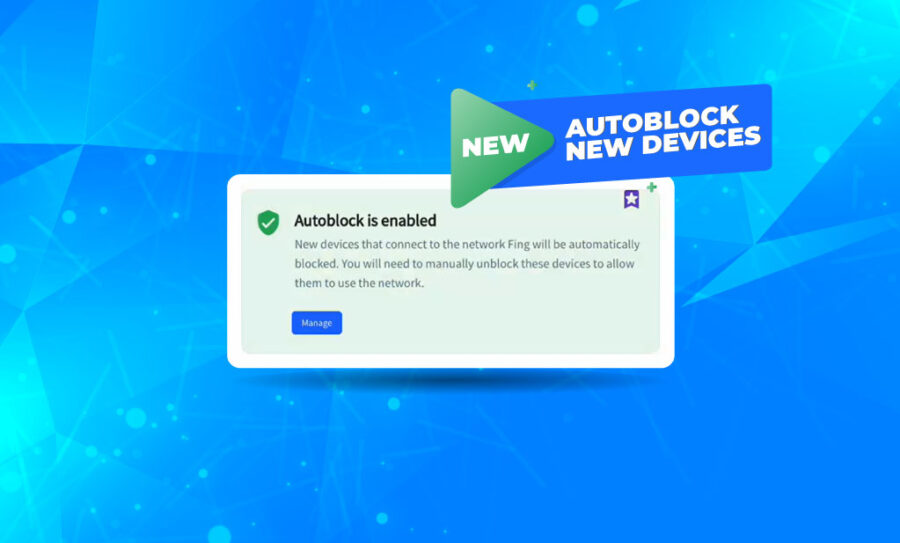
This is exactly the kind of blind spot that tools like Fing Desktop and Fing Agent are built to eliminate. Real-time device detection and network alerts give you visibility into what’s actually happening — not just what you assume is happening.
What to do instead: Don’t rely on “feeling” safe. Use a network monitoring tool that alerts you to new or unknown devices the moment they connect.
Myth 5 — “Smart home devices aren’t a security risk”
Your smart thermostat, baby monitor, robot vacuum, and voice assistant all have something in common: they’re always connected, rarely updated, and often poorly secured.
IoT (Internet of Things) devices are now the fastest-growing attack surface in home networks. Many ship with default credentials, have no automatic update mechanism, and communicate with external servers in ways that are completely opaque to the user.
A compromised smart camera doesn’t just risk your privacy — it can be the entry point an attacker needs to pivot across your entire network.
What to do instead: Change default passwords on every device, check for firmware updates regularly, and consider isolating IoT devices on a separate network segment (most modern routers support a guest network that works for this purpose).
Myth 6 — “Public Wi-Fi is safe if it has a password”
The coffee shop Wi-Fi has a password, so it must be secure — right? Not even close.
A password on a public network just controls who can join. Once you’re on, you’re sharing that network with every other connected user. This makes public Wi-Fi a prime environment for man-in-the-middle attacks, where an attacker can intercept the traffic between your device and the internet.
Worse, attackers can set up rogue hotspots — fake networks that mimic the real one (e.g., “Cafe_WiFi_Free”) and capture everything you send through them.
What to do instead: Avoid accessing banking, email, or other sensitive accounts on public Wi-Fi. If you must, use a VPN to encrypt your traffic. And turn off auto-connect — your phone doesn’t need to rejoin every network it’s ever seen.
Myth 7 — “Hackers are all criminal masterminds”
Hollywood has done cybersecurity a disservice. The hoodie-wearing genius in a dark room is not the typical threat actor.
In reality, the majority of successful attacks are carried out using widely available, automated tools that require minimal skill. “Script kiddies” — people with little technical expertise — can download attack toolkits, run them against thousands of networks, and succeed simply through volume and probability.
The sophistication isn’t in the attacker. It’s in the tool. And those tools get better and easier to use every year.
What to do instead: Don’t measure your security against “sophisticated” threats. Measure it against the simple, automated attacks that account for the overwhelming majority of incidents. Most of them succeed because the basics were neglected. Curious about what attackers actually see when they scan a network? Read our article on what hackers see on your home network.
Myth 8 — “A strong password is enough”
A strong password is a great start — but it’s not the finish line.
Even the most complex password can be compromised through a data breach on a service you use, a phishing email that tricks you into entering it, or a keylogger on an infected device. If that one password is your only line of defense, once it’s gone, so is your account.
This is why multi-factor authentication (MFA) matters so much. Even if your password is compromised, MFA requires a second verification step (a code on your phone, a biometric scan, a hardware key) that an attacker almost certainly doesn’t have.
What to do instead: Enable MFA on every account that supports it — especially email, banking, and cloud storage. Use a password manager to generate and store unique, complex passwords for every service. Never reuse passwords across sites.
Myth 9 — “Cybersecurity is only a business problem”
There was a time when cyberattacks mostly targeted corporations. That time is long gone.
Your home network is now a high-value target — especially in the age of remote work, where a compromised personal laptop can become the entry point into a corporate system. But even if you don’t work from home, think about what sits on your network: family photos, financial records, children’s personal data, medical information, smart home controls.
Cybersecurity isn’t an IT department problem. It’s a personal responsibility — one that affects every member of your household.
What to do instead: Treat your home network with the same seriousness a business treats its corporate network. Secure your router, educate your family about phishing, and keep an inventory of connected devices.
Myth 10 — “Once I set up security, I’m done”
This might be the most understandable myth on the list — and one of the most harmful.
Security is not a state. It’s a process. New vulnerabilities are discovered daily. Devices get added to your network without your knowledge. Firmware updates patch critical holes that didn’t exist when you first configured things.
The “set it and forget it” mindset creates a false sense of security that degrades over time. The network you secured six months ago is not the same network you have today.
This is where continuous monitoring becomes essential. Tools like Fing Desktop help you stay on top of changes — new devices, unusual activity, recurring patterns — so that your security posture evolves alongside the threats.
What to do instead: Schedule a monthly “network health check.” Review connected devices, update firmware, rotate passwords, and check for any alerts or anomalies. Security is a habit, not a one-time task.
The Truth Behind Cybersecurity Myths
Cybersecurity myths persist because they’re comfortable. They let us believe we’re safe without putting in the work. But comfort isn’t security — and the gap between what we think protects us and what actually protects us is where attackers thrive.
The good news? You don’t need to be a cybersecurity expert to stay safe. You just need to let go of the myths and adopt a handful of real, proven habits:
- Keep everything updated
- Use strong, unique passwords with MFA
- Monitor your network actively
- Question assumptions
Ready to see what’s really going on in your network? Start with a free network scan from Fing and find out what’s connected, what’s changed, and what might not belong.