Knowing how to find hidden cameras is becoming an essential skill for modern travelers. Whether you’re staying in an Airbnb, hotel, or vacation rental, the risk of hidden surveillance devices is real — and increasingly common. From tiny pinhole lenses tucked inside smoke detectors to Wi-Fi-connected spy cameras disguised as everyday objects, detecting hidden cameras requires a combination of awareness, technique, and the right tools.
Reports of Airbnb or Vrbo hosts recording guests started cropping up in the media years ago, and stories from guests who discovered a live stream from their bedroom are widespread. A recent investigation by CNN discovered that this event is not so rare, covering a large variety of cases in the United States.
Your Airbnb experience should be safe, private, and enjoyable. In this guide, we’ll show you exactly how to spot hidden cameras using simple methods and proven hidden camera detector tools — so you can travel with confidence and peace of mind.
Not in a rental? If you’re concerned about surveillance in your own home — whether from a roommate, landlord, ex-partner, or unknown source — we’ve written a dedicated guide for that: How to Detect Surveillance Devices in Your Home.
Why Knowing How to Find Hidden Cameras in Airbnb Rentals Matters
Privacy is a basic expectation when booking any vacation rental — especially an Airbnb. Yet the growing number of incidents involving hidden cameras in Airbnb rentals has made this a real concern for travelers.
The legality of hidden cameras in short-term rentals varies by state and country. In most places, recording someone without their consent is illegal, but loopholes exist. Some regions allow video recording without audio; others require clear consent for any type of surveillance. Both guests and hosts need to understand these laws to avoid violating privacy rights.
Why would someone hide a camera in an Airbnb? While many hosts install visible security devices for legitimate reasons — like deterring theft — a hidden camera inside a private space crosses a line. Invasive use of surveillance tech to spy on guests is a serious privacy violation — and one of many reasons why understanding the basics of cybersecurity matters, even if you’re not a technical person.
What Is a Hidden Camera Detector — and Which Type Works Best?
A hidden camera detector is any device, app, or technique that helps you discover concealed surveillance equipment. If you’re traveling, understanding the different types of hidden camera detectors available can mean the difference between peace of mind and a privacy nightmare.
There are three main approaches to detecting hidden cameras:
- Network scanner app (e.g., Fing)
This method scans the local Wi-Fi to identify connected devices — including IP cameras. It’s free or low-cost, requires no extra hardware, and works in seconds. Fing can also reveal the camera’s brand and model. The only limitation is that it can only find cameras connected to a network you can access. - RF (radio-frequency) detector
An RF detector is a small physical device that picks up wireless signals emitted by cameras and transmitters. It can detect cameras even if they’re on a separate network or hidden hotspot. The downside is that you need to buy a dedicated gadget, and it can produce false positives from routers, Bluetooth speakers, and other wireless electronics. - Lens finder (optical detector)
A lens finder uses red LED lights to spot reflections from tiny camera lenses. It works on both wired and wireless cameras, making it effective even when a camera has no network connection at all. However, it requires a dark room and patience — and very small lenses can still be easy to miss.
So, what is the best hidden camera detector for travelers? For most people, the best hidden camera detector is one you already have in your pocket. A network-scanning app like Fing requires no extra luggage, installs in seconds, and can reveal suspicious IP cameras the moment you connect to an Airbnb’s Wi-Fi.
How to Find Hidden Cameras with Fing: Step-by-Step
If you’re looking for an app to detect hidden cameras in your Airbnb, Fing provides one of the most effective and simple ways to get started. Our network scanning tools — available on both desktop and mobile — help you uncover suspicious devices connected to the Wi-Fi in just a few minutes.
Recognized by top media outlets like Huffington Post, Forbes, CNN, The Verge, and PC Mag, Fing is widely trusted for its ability to identify smart devices, including potential surveillance equipment.
Here’s how Fing can help you:
1) Scan the Airbnb Wi-Fi network
Download Fing App for free from the App Store or Google Play. Connect to the Airbnb Wi-Fi and run a network scan. All the devices on the network will be revealed in Fing App automatically, giving you plenty of details including vendors and models. Hidden cameras will not always show up, but this scan is a good first step to finding them. It works really fast and easy, so it’s worth trying out when you check into an Airbnb or Vrbo rental.
Tip: If a second Wi-Fi network appears, that could be a sign of a hidden IP camera connected separately.
2) Check for common IP camera names that may be hidden on the network
After the scan, browse the device list for known IP camera vendors. Brands like LXMIMI or FREDI often raise red flags. Even if a device is named something generic, the vendor information can give it away.
3) Use the ‘Find hidden cameras’ feature from Fing
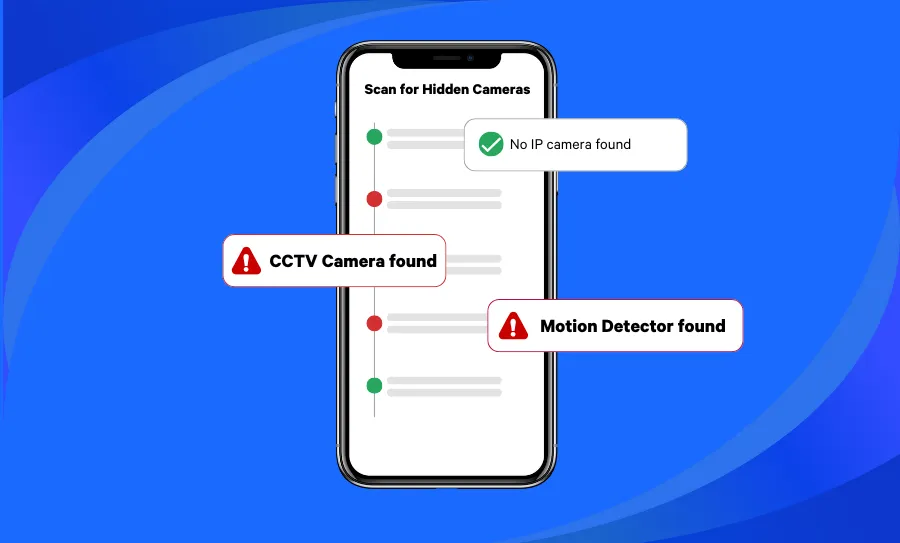
If you don’t want to rummage through your device list, you can specifically scan for hidden cameras with one of our subscription plans. With a Premium account, you can use the feature on both your smartphone and your desktop version of Fing. Simply go to the Tools tab and you’ll find the Find Hidden Cameras feature under “Improve your network Security”. You can also access this feature from your Security tab.
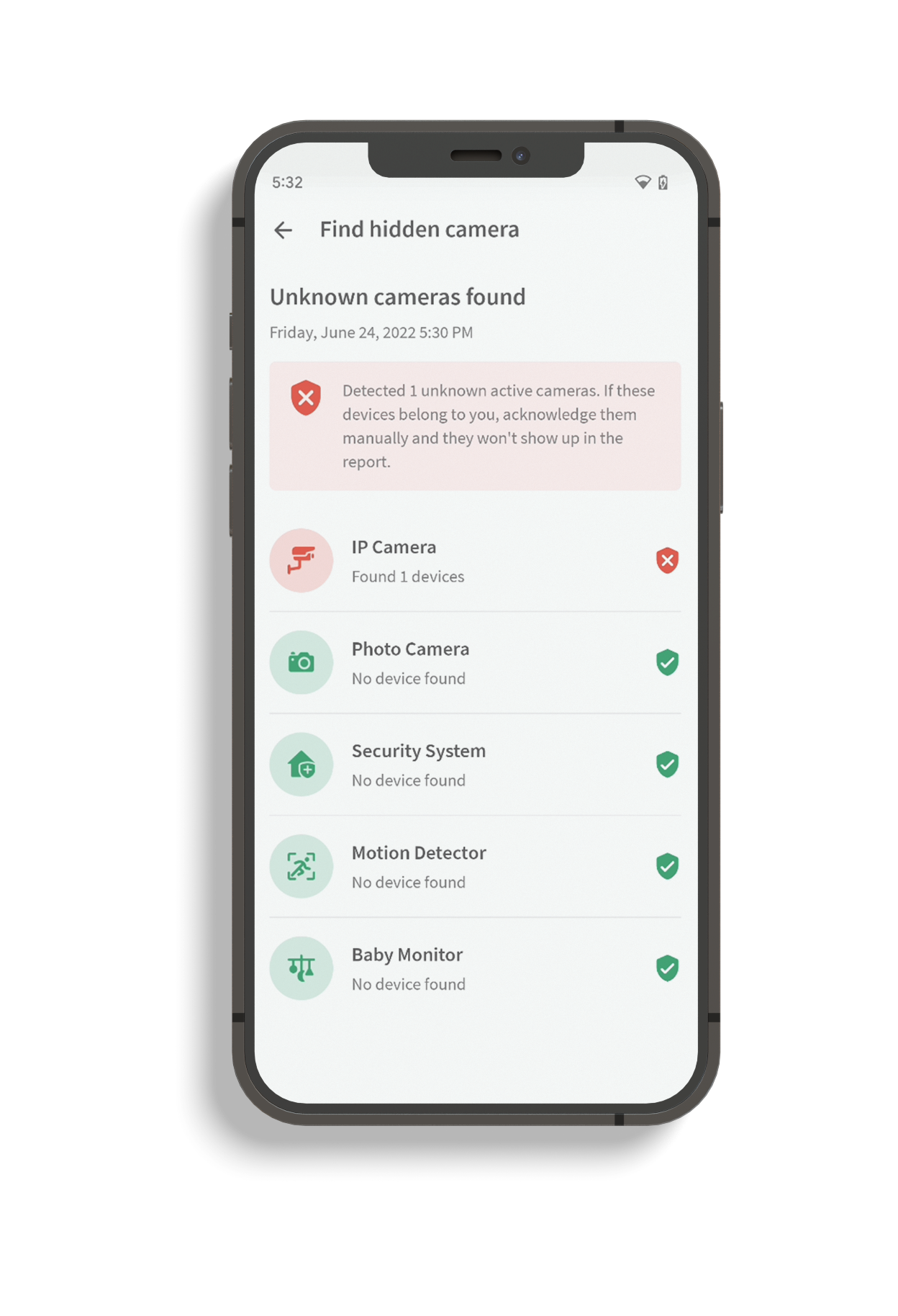
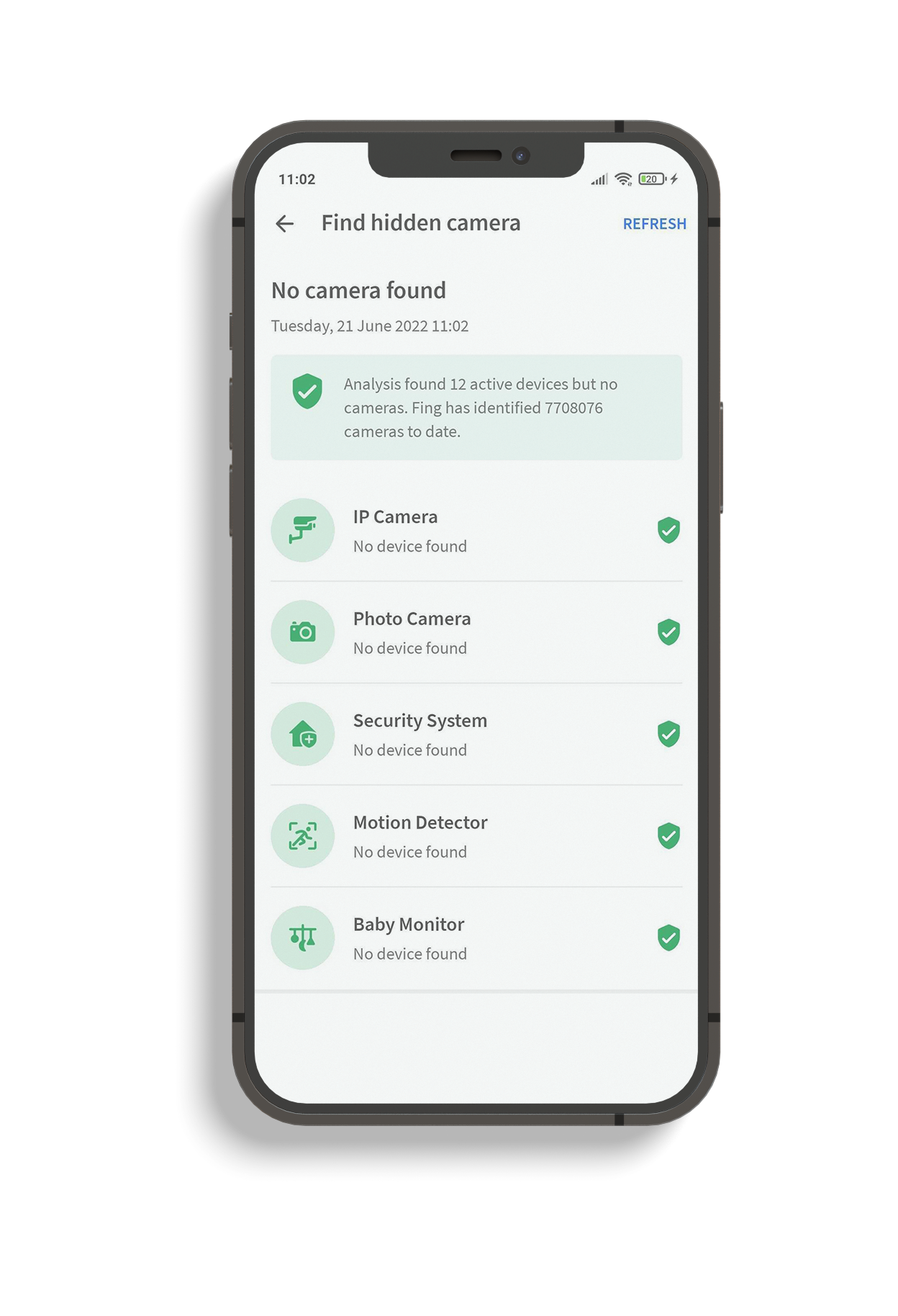
Traveling soon? Download Fing before you go — the hidden camera scan takes less than a minute and could save your trip. Try Fing Premium and all its features, hidden camera detector included!
Please note: Fing can only detect hidden cameras connected to the same network you are scanning. In case of multiple networks, be sure to scan each of them!
How to Find Hidden Cameras in Airbnb Rentals – Additional Methods
While the Fing App is one of the fastest and most reliable hidden camera detectors available, there are also manual techniques that can help you spot hidden cameras in your Airbnb. Combining both digital and physical methods gives you the best chance of detecting hidden cameras and protecting your privacy.
Below are five additional ways to find hidden cameras without software:
1. Conduct a Thorough Physical Inspection
Inspect everyday items like smoke detectors, alarm clocks, air purifiers, USB chargers, and wall décor — especially anything with a clear line of sight to beds or bathrooms.
Test mirrors with the “fingernail trick”: place your fingernail against the glass. If there’s a gap between your nail and its reflection, it’s a normal mirror. No gap? It could be two-way glass.
Use a flashlight to shine light at different angles. Camera lenses reflect light differently from regular surfaces, often revealing a tiny glint that gives them away.
2. Use Your Smartphone’s Camera to Detect Infrared (IR) Lights
Many hidden cameras use infrared LEDs for night vision. These IR lights are invisible to the naked eye — but your smartphone can spot them:
- Turn off the lights and make the room as dark as possible.
- Open your front-facing camera (which typically lacks an IR filter) and slowly scan the room.
- Look for small white or purple glowing dots — these may be IR emitters from a hidden camera.
3. Use a Flashlight to Find Hidden Camera Lenses
In a dark room, shine a flashlight systematically across shelves, vents, electronics, and décor. A hidden lens will reflect the beam differently from surrounding surfaces, creating a distinctive pinpoint of light.
4. Search for Hidden or Suspicious Wi-Fi Networks
Some hidden cameras broadcast their own Wi-Fi network rather than joining the property’s router:
- Open your phone’s Wi-Fi settings.
- Look for networks with generic or random names (e.g., “Camera-001,” “DIRECT-xx”) or unusually strong signals you can’t account for.
- If anything seems off, connect and run a scan with Fing to investigate.
5. Listen for Unusual Sounds
Hidden cameras — particularly motorized pan-tilt models — can emit a faint buzzing or clicking sound:
- Quiet the room: turn off all other noise sources.
- Walk slowly and listen carefully, paying close attention near outlets, shelves, and ceiling fixtures.
Checking for cameras in a hotel works a bit differently than in an Airbnb. Hotel Wi-Fi networks often use client isolation, which means a network scan may not reveal other connected devices. This makes physical inspection methods — like the IR check, flashlight sweep, and visual inspection — especially important in hotel rooms. Focus on areas with a direct view of the bed and bathroom: check the smoke detector, clock radio, any decorative items facing the bed, and the bathroom vent. If you find anything suspicious, report it to hotel management immediately and contact local authorities.
What to Do If You Find a Hidden Camera in Your Airbnb
If you find a hidden camera in your Airbnb rental, take immediate action to protect your privacy and ensure your safety. Here are the steps you should take:
- Report it to Airbnb and the Host
Use the Airbnb messaging system or contact number to report the issue. Be clear and specific: explain exactly where you found the hidden camera and why you’re concerned. Airbnb strictly prohibits undisclosed surveillance devices in rentals. - Document the Evidence
Take clear photos or videos of the device in its location. Record identifying details like the brand, model, placement, and any surrounding objects. Note the date, time, and circumstances under which you discovered it — this documentation can support a formal complaint or legal case. - Seek Legal Advice if Needed
If you feel your privacy has been violated, consider contacting a lawyer specializing in privacy or short-term rental laws. They can help you understand your rights and advise on potential legal action against the host.
Tip: Airbnb encourages reporting any privacy violations. Your report could prevent future incidents and protect other travelers.
How Airbnb and Vrbo Address Hidden Camera Concerns
Both Airbnb and Vrbo have policies in place to protect guests from hidden surveillance — but rules differ slightly between platforms.
Airbnb Policy Highlights
Airbnb allows security cameras and monitoring devices only if they are clearly disclosed in the listing and do not invade personal privacy. According to Airbnb:
- Hidden or undisclosed devices are strictly prohibited
- No devices are allowed in bedrooms, bathrooms, or sleeping areas
- Cameras in shared spaces (like living rooms) must be disclosed upfront
Vrbo Policy Highlights
Vrbo has a stricter approach:
- No surveillance devices of any kind are allowed inside the property
- Outdoor cameras may be used for security purposes only
- If a guest finds a surveillance device indoors, they are advised to report it to Vrbo immediately
Both platforms take privacy seriously — and reporting violations helps maintain safer stays for everyone.
Frequently Asked Questions About Hidden Cameras
Are hidden cameras common in Airbnb rentals?
While the vast majority of stays are incident-free, reports of hidden cameras in Airbnb properties have increased over the years. A CNN investigation highlighted numerous cases across the United States, and online communities regularly surface new stories. It’s not common — but it happens often enough that checking is a smart habit.
Can I use my phone as a hidden camera detector?
Yes. Your smartphone can serve as a basic hidden camera detector in two ways. First, network scanning: apps like Fing scan the local Wi-Fi and reveal connected IP cameras (and Fing is consistently rated among the best network scanner apps). Second, IR detection: your phone’s front-facing camera can often pick up infrared LEDs used by night-vision cameras that are invisible to the naked eye.
Is it legal for an Airbnb host to have cameras inside the property?
It depends on the jurisdiction, but in most places, recording guests without their knowledge or consent is illegal — especially in private spaces like bedrooms and bathrooms. Airbnb’s own policy strictly prohibits hidden or undisclosed cameras. Outdoor cameras and those in shared common areas must be clearly disclosed in the listing.
What should I do if I find a hidden camera?
Do not touch or remove it — leave it in place for evidence. Document everything by taking photos and videos showing the device, its location, and any identifying details. Report it to Airbnb or Vrbo using the platform’s official channels immediately. Contact local authorities if you believe your privacy has been violated. Seek legal advice if the situation warrants it.
Does Fing work as a hidden camera detector for hotels too?
Absolutely. Any time you can connect to a property’s Wi-Fi — whether it’s an Airbnb, hotel, hostel, or vacation rental — Fing can scan the network and surface connected cameras. The same physical inspection techniques (IR check, flashlight sweep, visual inspection) work in hotels as well.
Stay Safe and Take Control of Your Privacy
Most Airbnb and Vrbo hosts follow the rules — but a quick check never hurts. Knowing how to find and spot hidden cameras empowers you to protect your privacy wherever you travel. By combining physical inspection techniques with a trusted hidden camera detector app like Fing, you can scan for suspicious devices in minutes and enjoy your stay with complete peace of mind.
Get started today:
- Download the Fing App — free on iOS and Android
- Download Fing Desktop — for Windows and macOS
- Upgrade to a Fing subscription — unlock the dedicated “Find Hidden Cameras” feature and advanced network security tools
Travel smart. Travel private. Travel with Fing.